Give AI agents real tools, not guesswork
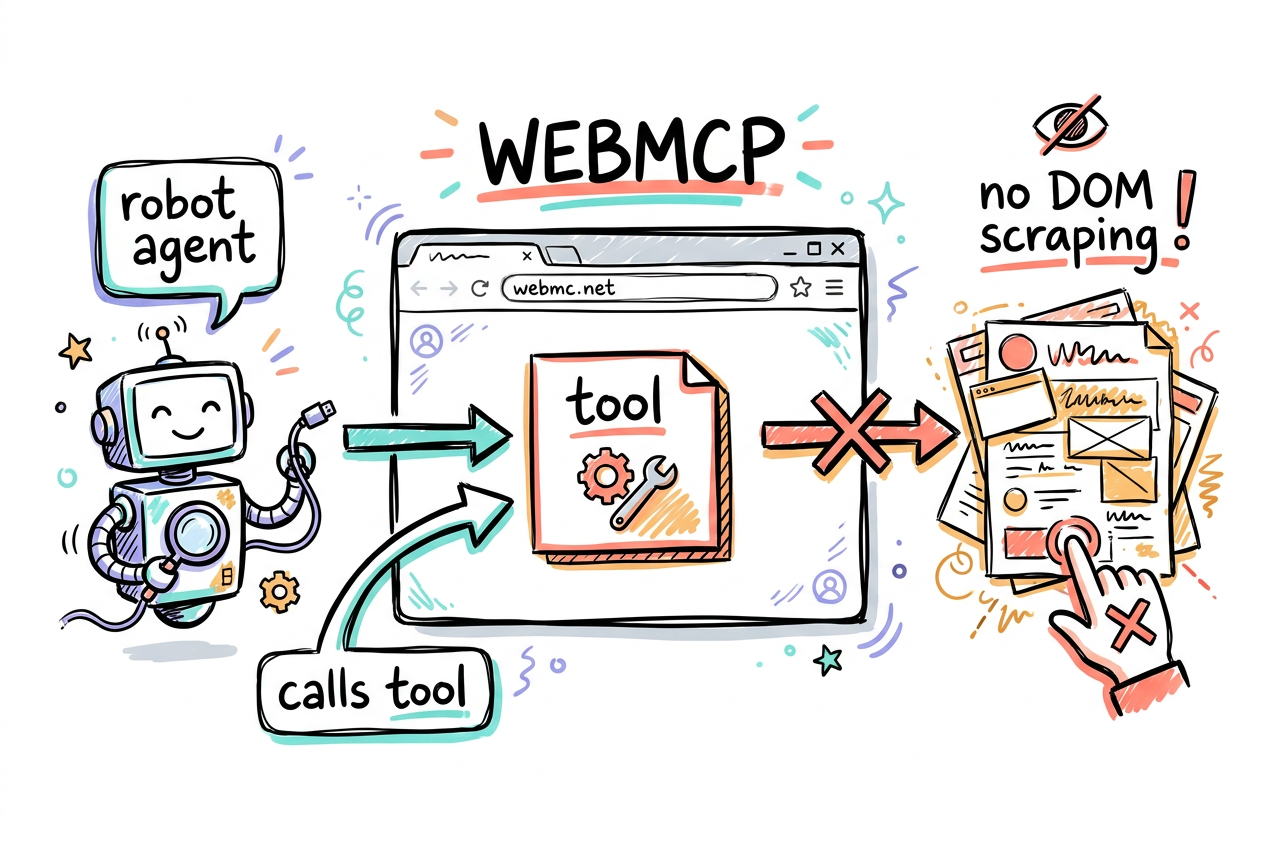
WebMCP (Web Model Context Protocol) is a proposed web standard that lets your site hand AI agents structured tools instead of making them read and click the page like a human. An agent running in the browser, an extension, or Chrome's built-in agent, calls a named tool you defined, and your page does the work. It is a progressive enhancement: it layers on top of the site you already have, and dramatically improves how reliably agents complete tasks.
- A tool = a named action your page exposes (add_topping, submitForm).
- The agent calls the tool. Your code runs. No fragile DOM scraping.
- Progressive enhancement: real users still use the page normally.
- Origin-trial standard in Chrome. Early, but real.
Declarative API: annotate a form
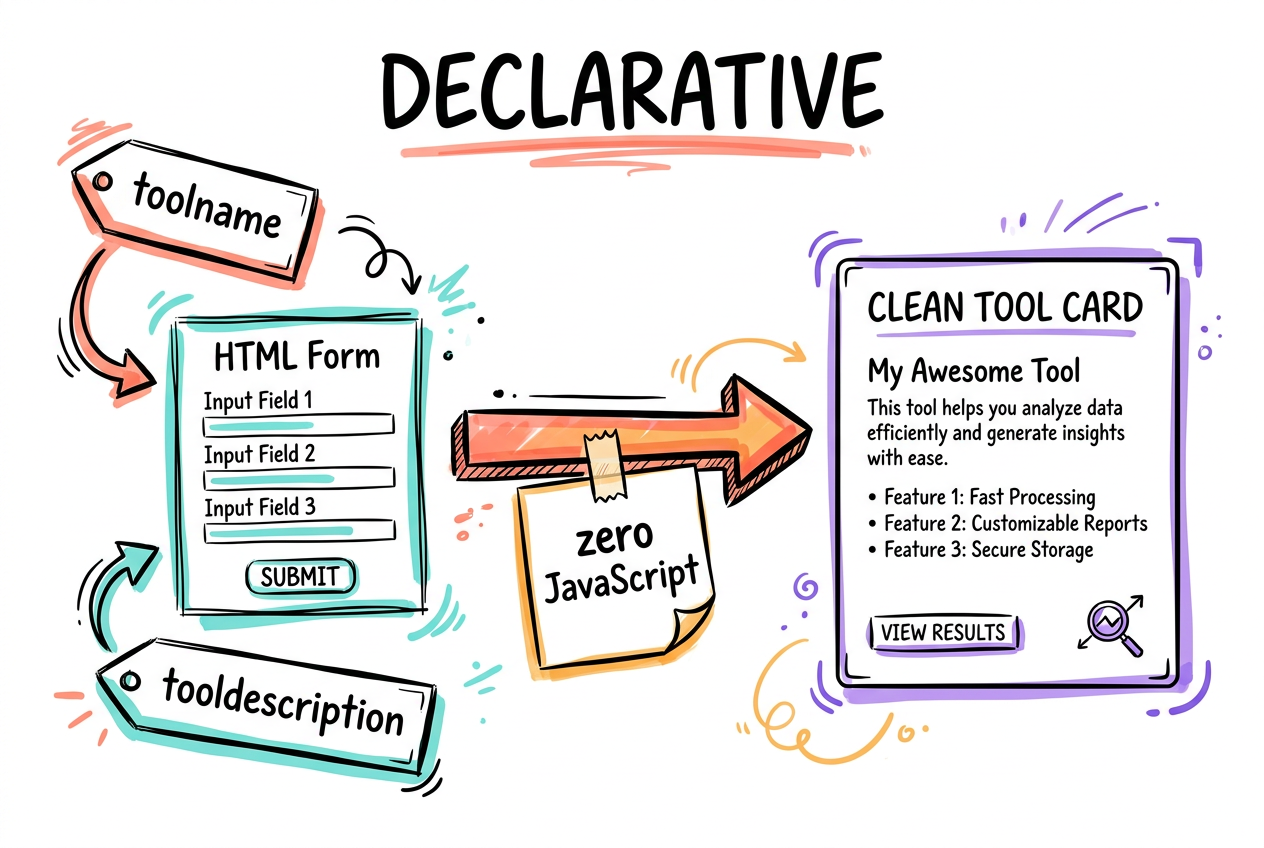
The simplest way to expose a tool is to tag an HTML form. Add toolname and tooldescription to the <form>, and the fields become the tool's parameters. The browser turns it into a structured tool an agent can call. When the agent uses it, the browser focuses and fills the real form, and the user still sees it happen. Remove the attributes and the tool unregisters. No JavaScript required.
- toolname: names the action, based on its purpose.
- tooldescription: says what it does and why.
- Form fields become the tool parameters automatically.
<form toolname="createSupportRequest"
      tooldescription="Submits a request for customer support.">
  <label for="firstName">First name</label>
  <input type="text" name="firstName">
  <button type="submit">Send</button>
</form>Imperative API: registerTool in JS
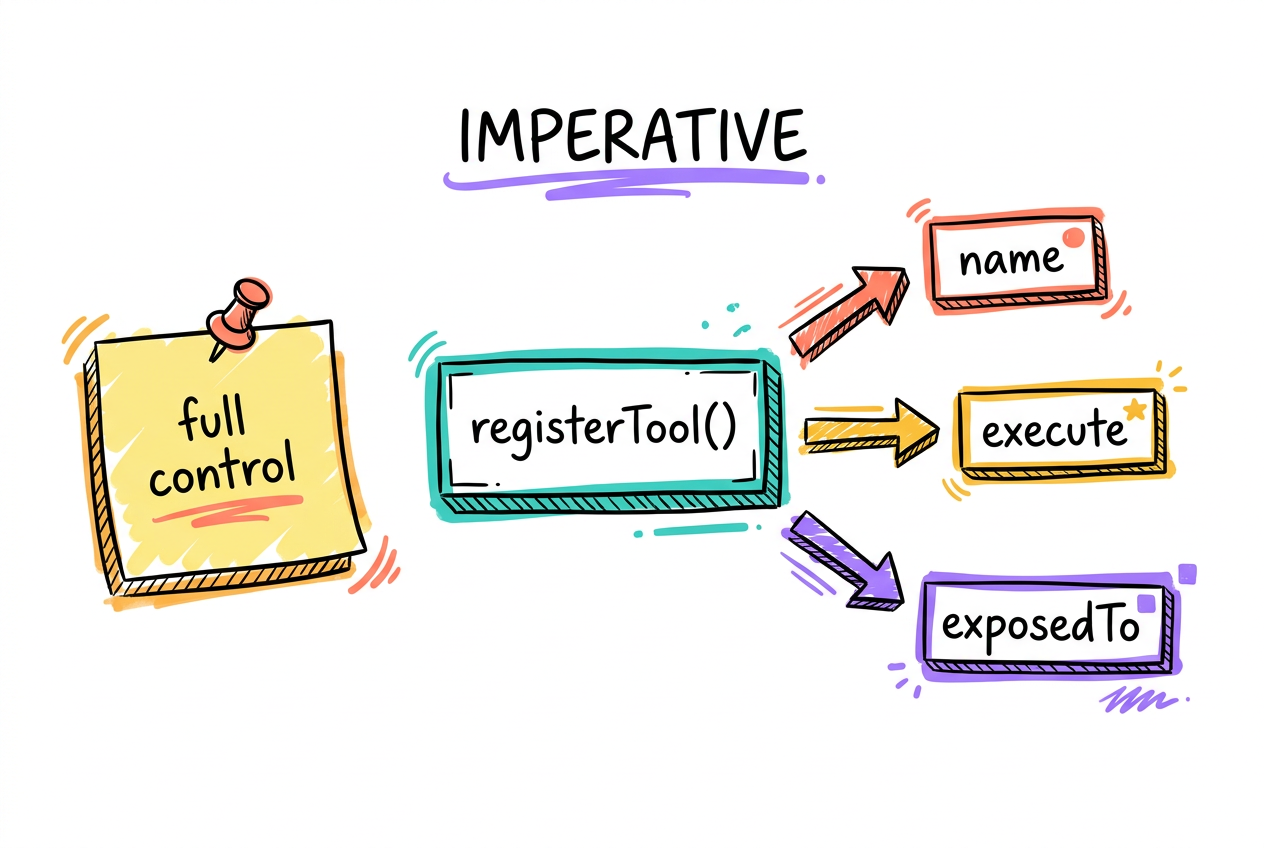
When a tool is more than a form, register it in JavaScript with document.modelContext.registerTool. You define the name, description, an input schema, and an execute function that does the work. This gives you full control over inputs, validation, and behavior, and unlocks options like exposedTo (share a tool with specific trusted origins) and hints that tell the agent how to treat the tool.
- Define name, description, inputSchema, and execute().
- exposedTo: share a tool only with origins you trust.
- readOnlyHint / untrustedContentHint guide agent decisions.
await document.modelContext.registerTool({
  name: 'add_topping',
  description: 'Add a topping to the current pizza',
  inputSchema: { type: 'object', properties: {
    topping: { type: 'string' }
  }},
  async execute({ topping }) {
    addToppingToCart(topping);
    return { content: `Added ${topping}` };
  }
});WebMCP vs MCP: browser vs server
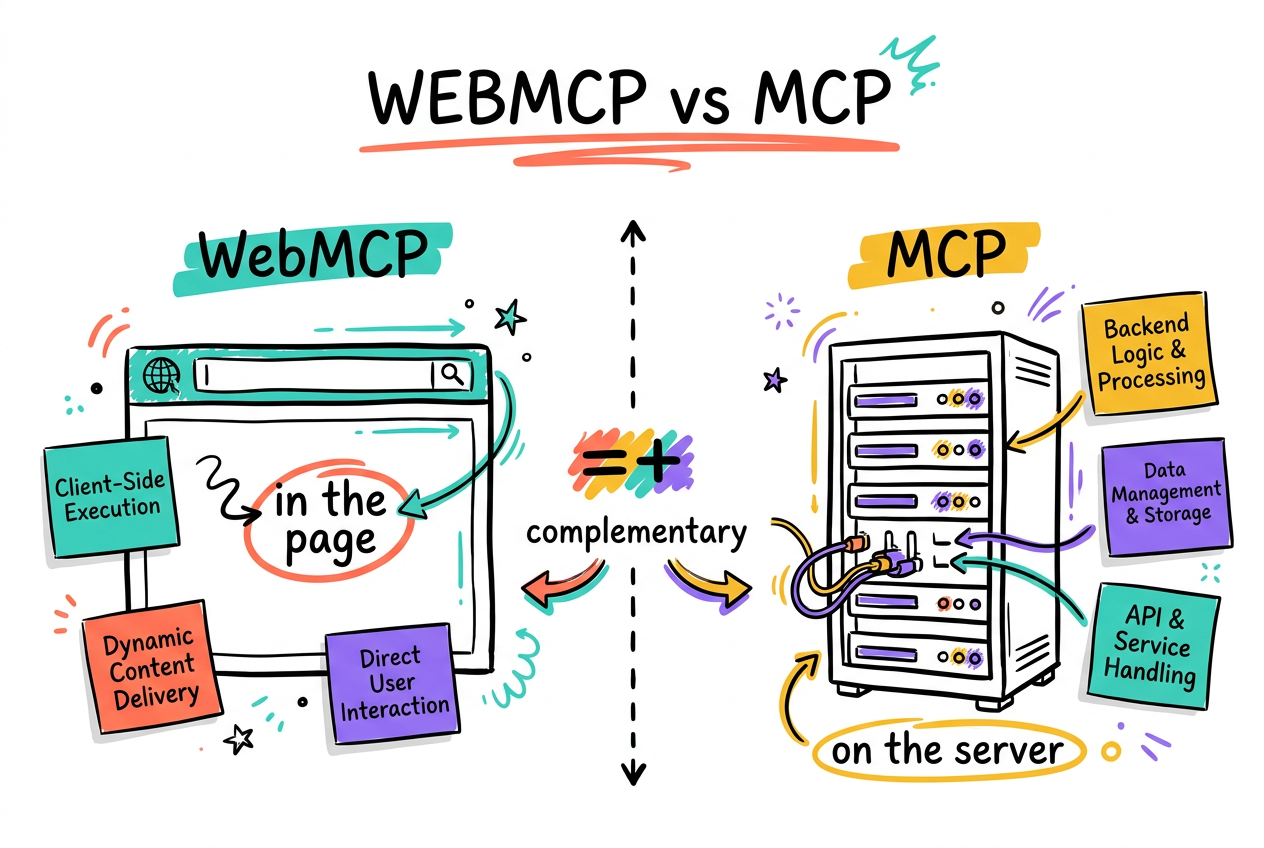
MCP (the one everyone talks about) runs on a server: an agent connects to an MCP server and calls tools that live in your backend. WebMCP runs in the browser: the tools live in the page the user is already looking at, with their session, their auth, their state. They are complementary. Use MCP for backend capabilities; use WebMCP when the action belongs to the live page and the user's context.
- MCP = server-side tools. Backend capability, no user session.
- WebMCP = in-page tools. Runs with the user's live session + auth.
- Not competitors. Reach for the one that fits the action.
Tool security: assume the input is hostile
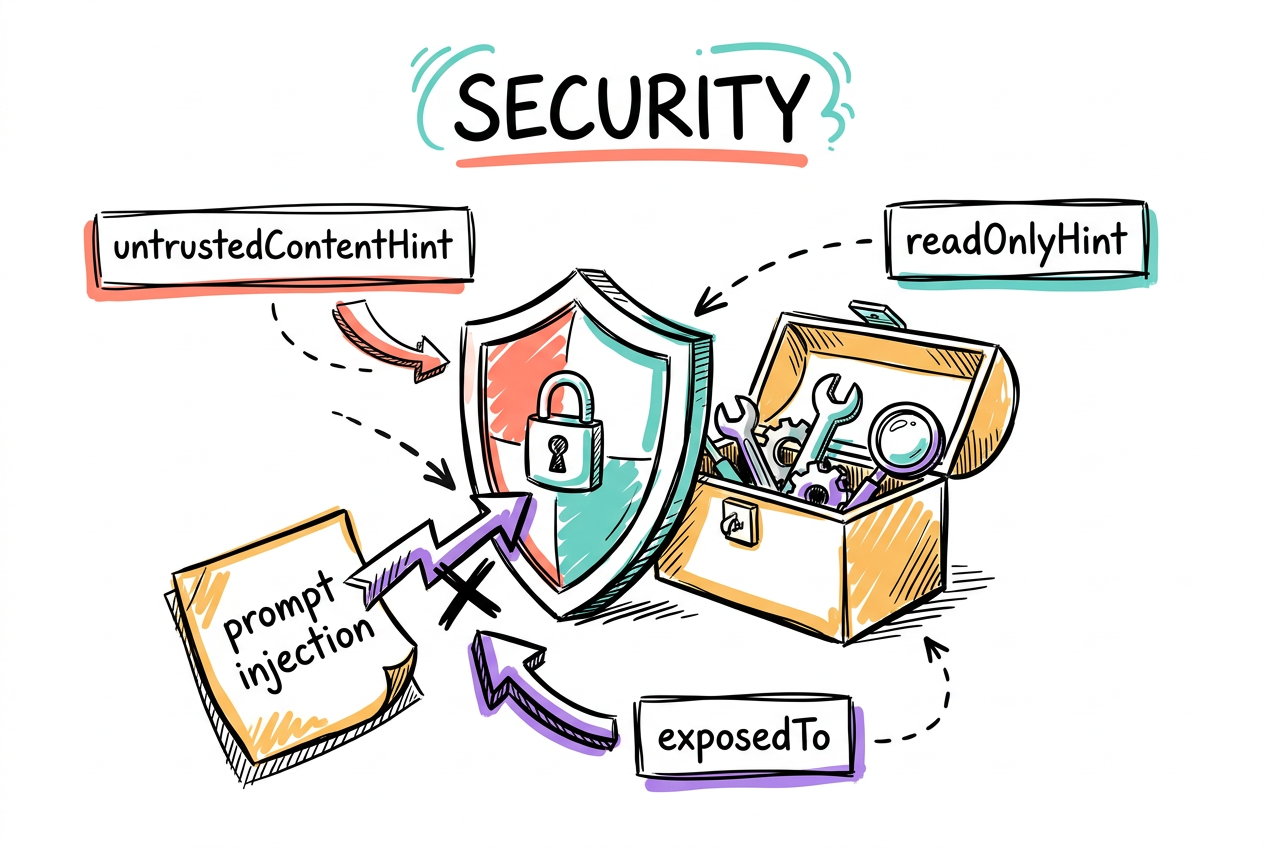
LLMs treat all text as one stream of tokens, so they are vulnerable to indirect prompt injection: malicious instructions hidden in data. You cannot fully trust the model to catch it. Protect your site with annotation hints, expose tools only to origins you trust, and keep tool descriptions and outputs short so they do not blow past agent guardrails.
- untrustedContentHint: flag user-generated or external data.
- readOnlyHint: mark tools that do not change state.
- exposedTo: only trusted origins for anything that acts on a user.
- Budgets: ~500 chars per description, ~1.5K per tool output.
Evals: check tools in isolation and end-to-end
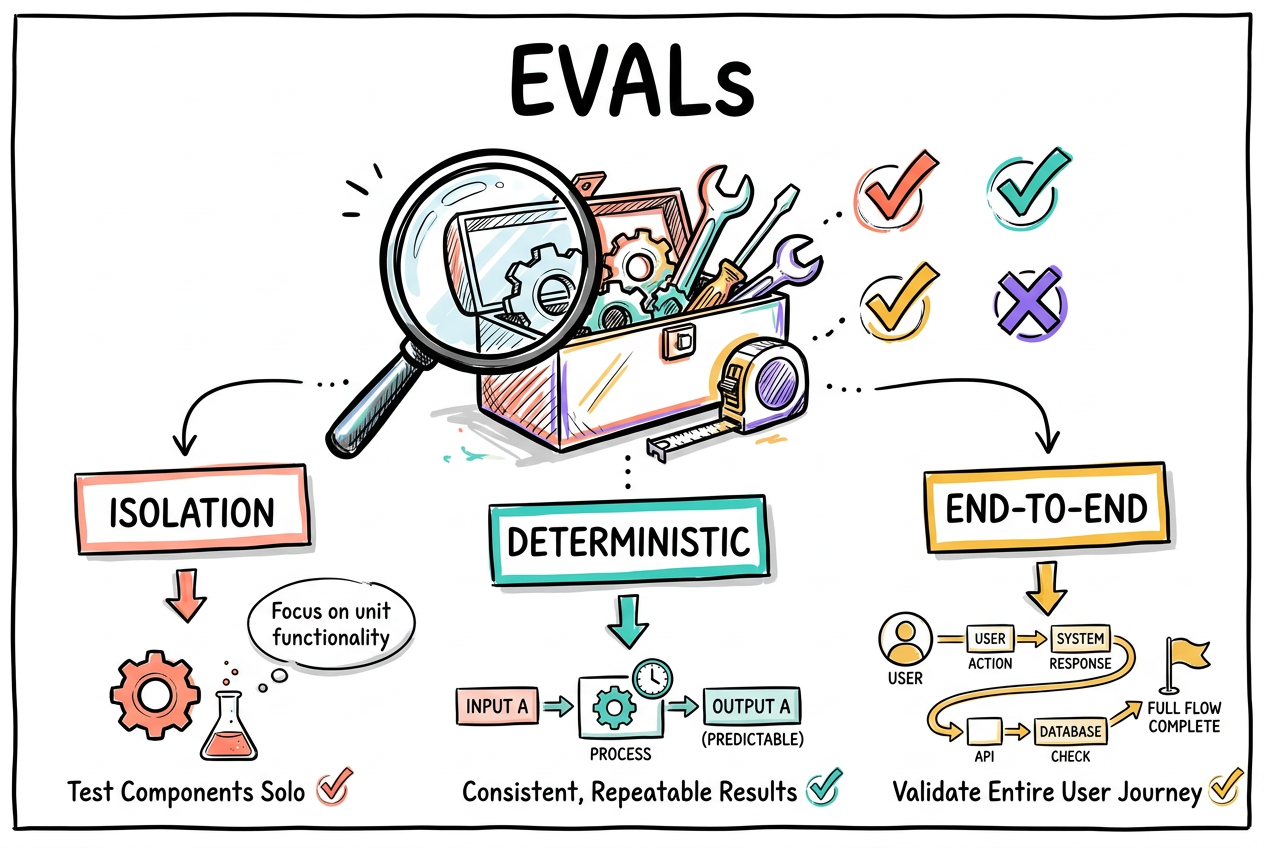
Agents are probabilistic, so test them like it. Check each tool in isolation for call accuracy, write deterministic tests (the tools are just JS or HTML), then run probabilistic and end-to-end tests across a real agent to catch mid-chain failures, wrong-order calls, and skipped steps. Tie tools to your component lifecycle so they are only exposed when they actually apply.
- Isolation: measure whether the right tool gets called.
- Deterministic tests: assert the tool's own behavior.
- End-to-end: run a real agent, watch for mid-chain failures.
Turn it on and build your first tool
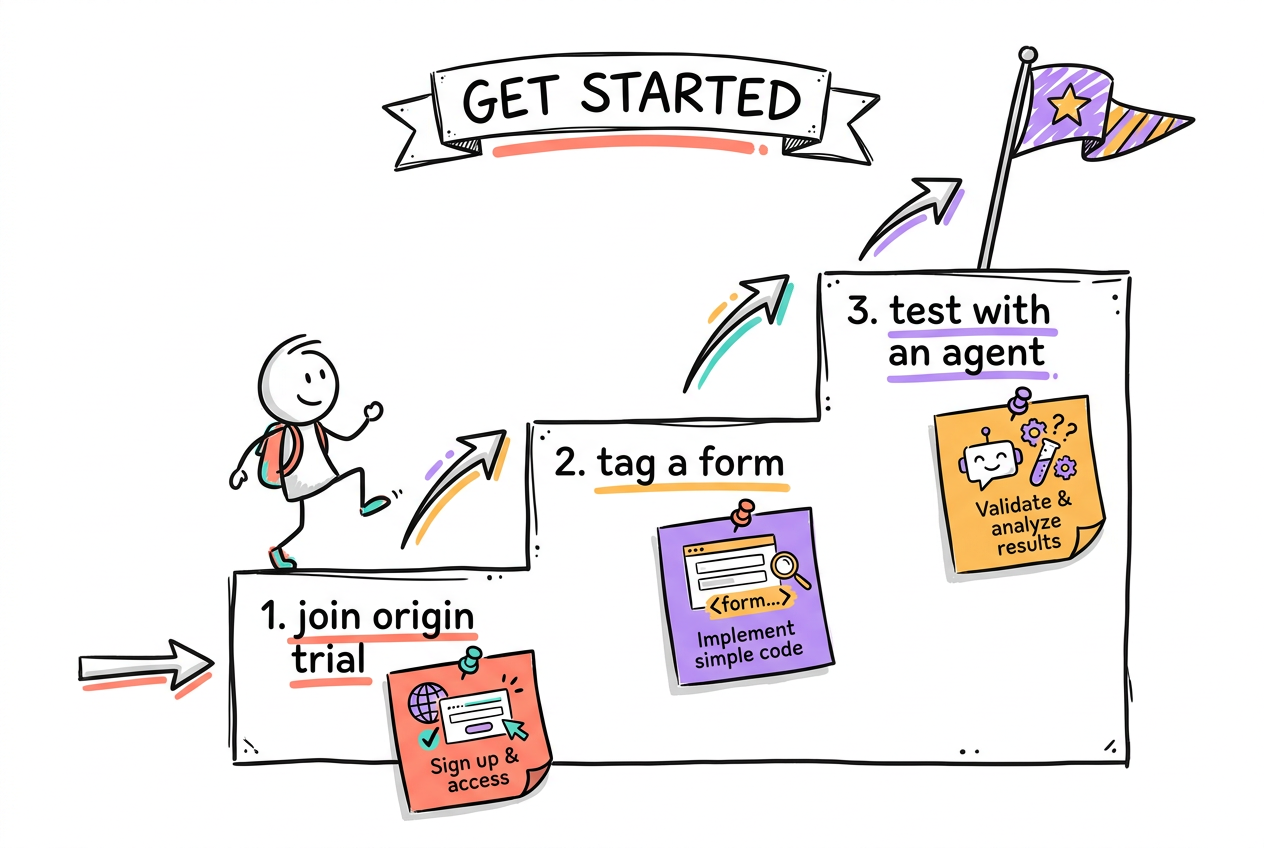
WebMCP ships behind Chrome's origin trial, so it is opt-in and the spec can still change. Register for the trial (or flip the Chrome AI dev-preview flags), pick one high-value form on your site, and expose it with the declarative API. That is the whole day-one path: one form, two attributes, a browser agent that can now use it.
- 1. Register for the WebMCP origin trial in Chrome.
- 2. Pick one important form or action.
- 3. Add toolname + tooldescription, and test with an agent.